Newsletter Landing Page Optimization: How to Convert 30%+ of Visitors into Subscribers
The average newsletter landing page converts at 9%. The best hit 30-50%. The gap is entirely predictable — headline clarity, social proof placement, value proposition specificity, and CTA design. Full anatomy breakdown, 10 patterns of high-converting pages, mobile optimization, and A/B test priority order.
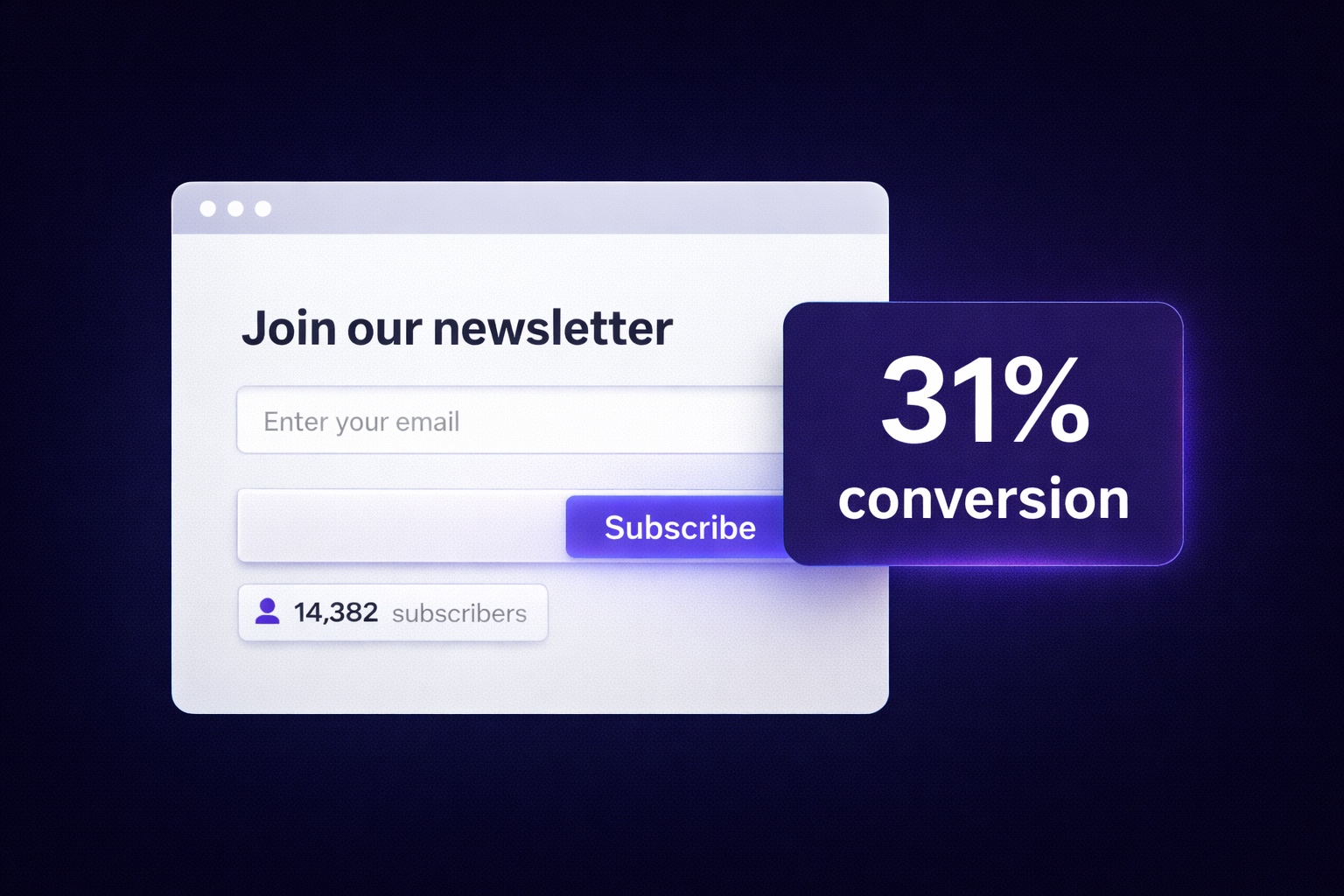
Two creators. Same newsletter niche. Same quality of content. Same amount of traffic.
Creator A gets 9 new subscribers for every 100 visitors to their signup page. Creator B gets 34.
That gap compounds brutally. Over 12 months with 1,000 monthly visitors, Creator A builds a list of 1,080. Creator B builds 4,080 — with identical content, identical audience, identical effort. The only difference is what happens when someone lands on that page.
Newsletter landing page conversion rates are one of the most underoptimized levers in creator growth. Most creators build their signup page once — either using the default form their email platform provides, or copying something they saw without understanding why it works — and never touch it again. They put their energy into growing traffic to a page that quietly loses 88-91% of the people who visit it.
The 30-50% conversion rates that the best newsletter landing pages achieve aren't magic. They follow predictable principles: a headline that states a specific outcome, a value proposition that explains what subscribers get and why it matters to them specifically, social proof positioned to address the exact moment of hesitation, and a CTA that removes friction instead of adding it. This guide breaks down each element, shows what the best pages do differently, and gives you a complete optimization checklist for your own page.
Why Your Landing Page Is Killing Your Newsletter Growth
Before diagnosing what needs to change, it's worth understanding what's happening psychologically when someone lands on your signup page. They arrive with a specific context — they came from a social post, a Google search, a friend's recommendation, or a piece of your content. They have a question or problem in mind. They spend 3-8 seconds deciding whether this page answers it.
Most newsletter signup pages fail in those first 3 seconds because they answer the wrong question. The page is organized around what the newsletter is — its name, its author, its topics — rather than what the subscriber gets. Readers don't subscribe to newsletters. They subscribe to outcomes. They want to be smarter, more informed, better at something, ahead of something. A page that leads with your newsletter name and tagline tells them what you have. A page that leads with what they'll get converts.
The 4 questions every visitor asks in the first 8 seconds:
- "Is this for someone like me?" — Specificity of audience and niche signals relevance instantly
- "What exactly do I get?" — Format, frequency, and specific content examples reduce uncertainty
- "Why should I trust this?" — Social proof answers this before the reader has to look for it
- "What's the risk?" — The perceived cost of subscribing (spam, regret, inbox clutter) must be addressed proactively
A page that answers all four questions clearly, above the fold, on mobile, will consistently convert at 25-40%. A page that answers none of them converts at 5-10%.
The Anatomy of a High-Converting Newsletter Landing Page
High-converting newsletter landing pages share a specific structural pattern. The elements aren't interchangeable — sequence matters because it mirrors the psychological progression of a visitor moving from skeptical to convinced.
The 7-Element Page Structure:
- Headline — outcome-focused, specific, immediately communicates the value proposition
- Subheadline — elaborates on the headline with format/frequency details and audience qualification
- Primary CTA (above the fold) — email input + button, visible without scrolling on both desktop and mobile
- Social proof block — subscriber count, testimonials, notable subscriber logos, or open rate — positioned directly below the primary CTA to resolve the immediate trust question
- What's inside section — specific bullet points of what subscribers receive, framed as benefits not features
- Secondary social proof — deeper trust element (a specific testimonial, a case study quote, or press mention)
- Final CTA — repeat of the email form at the bottom for visitors who scrolled through everything before deciding
What's NOT on a high-converting landing page: navigation menus, links to other pages, excessive imagery, long paragraphs about the creator's background, and anything that gives the visitor a reason to click away before subscribing.
The Headline Formula: How to Write One That Converts
Your headline is the most important copy on the page. It's read by 100% of visitors. It's what they see in 0.5 seconds before their brain decides whether to keep reading. Most newsletter headlines are either too vague ("The newsletter for curious minds") or too creator-focused ("[Name]'s weekly newsletter on finance").
The headlines that convert at 30%+ follow a simple framework: Specific Audience + Specific Outcome + Implied Frequency or Format.
Weak headlines vs. strong headlines:
"The weekly newsletter about marketing"
→ "One actionable marketing insight, every Tuesday. Read in 5 minutes."
"Stay up to date on fintech news"
→ "The fintech briefing that 12,400 founders and operators read every morning."
"Subscribe to my newsletter for creators"
→ "How 8,000+ content creators grow their email list and turn it into income. Weekly, free."
"A newsletter about the creator economy"
→ "The newsletter that shows independent creators how to earn $5K-$30K/month from their audience — without brand deals."
The 3 headline formulas with highest conversion rates:
- The Specific Outcome: "How [audience] [achieves specific result] — [format + frequency]"
- The Social Proof Lead: "[Number] [audience type] already read this to [outcome]. Join them."
- The Problem Agitation: "Tired of [specific pain]? [Newsletter] gives you [specific solution], every [frequency]."
Social Proof That Actually Works for Newsletters
Social proof is the fastest way to resolve the trust question, but not all social proof is equally effective. The wrong type of social proof — generic, unspecific, or poorly positioned — adds visual noise without adding conversion lift.
Social Proof Ranked by Conversion Impact
Tier 1 — Specific subscriber count with context (highest impact):
"Joined by 14,300 [specific audience description] from [companies/context]" outperforms plain "14,300 subscribers" by 20-35%. The context matters — it tells the visitor whether their peers are reading it.
Tier 2 — Verbatim reader testimonials with specificity:
"This is the only newsletter I open immediately when it arrives in my inbox." — Sarah K., Growth Manager at [Company] outperforms "Great newsletter!" — Anonymous by an enormous margin. Name + role + specificity = credibility. Generic praise = ignored.
Tier 3 — Notable subscriber logos (if applicable):
"Read by people at Google, Shopify, and HubSpot" with company logos works exceptionally well for B2B newsletters. For consumer/creator newsletters, replace with "As seen in [publication]" or community recognition.
Tier 4 — Engagement metrics:
"44% average open rate" (vs. 20% industry average) signals quality to informed visitors. Particularly effective for creator-economy niches where audience sophistication is high.
Placement rule:
Position your strongest social proof element immediately below the primary CTA, not at the bottom of the page. The moment a visitor considers subscribing, the social proof needs to be there — not something they scroll to after they've already left.
Value Proposition: Selling the Subscription Before They Sign Up
The "what's inside" section is where most landing pages are weakest. Creators default to listing topics ("Weekly coverage of marketing, growth, and content strategy") rather than describing specific value ("Each issue breaks down one high-performing campaign or strategy you can adapt for your own newsletter — with the exact numbers and the reasoning behind every decision").
The value proposition framework — features vs. benefits:
Feature (weak): "Weekly curated links on AI and technology"
Benefit (strong): "The 5 AI developments that actually matter this week — with plain-English explanations of why they change things for you"
Feature (weak): "Newsletter monetization strategies"
Benefit (strong): "Actionable revenue tactics tested by real creators — with income breakdowns you can compare to where you are now"
Feature (weak): "Career and productivity tips"
Benefit (strong): "One framework every two weeks that senior operators use to work smarter — the kind of insight that takes years to develop organically"
The 3-bullet value prop structure that converts:
- Bullet 1: What they receive specifically + why it's different from what they could find elsewhere
- Bullet 2: The transformation or outcome — what changes for them after reading regularly
- Bullet 3: Format, frequency, and time commitment — remove the "I don't know what I'm signing up for" uncertainty
CTA Design, Placement, and Copy That Gets Clicks
The CTA (call-to-action) is the final conversion point, and the design decisions around it have an outsized effect on conversion rate. Small changes in button copy, color, and form friction can move conversion rate by 5-15 percentage points.
Button copy: what works vs. what doesn't
"Subscribe" — generic, asks for commitment
"Sign Up" — neutral, no value implied
"Submit" — worst performing, sounds like work
"Get Free Access" — implies value, implies no cost
"Send Me the Newsletter" — action-oriented, conversational
"Join [Number] Readers" — social proof baked into the button
"Yes, I Want This" — affirmative, low friction feeling
"Start Reading Free" — frames subscription as immediate access
Form friction reduction:
- Ask for email only: Each additional field (name, company, phone) reduces conversion by 10-20%. Email only for newsletter signup — you can collect more data later
- Privacy line below the form: A single line — "No spam. Unsubscribe anytime." — reduces abandonment by 8-12% by resolving the primary fear proactively
- Button contrast: Your CTA button should be the highest-contrast element on the page. If a visitor's eye can't find the button in 2 seconds, you're losing conversions to confusion
- Mobile tap target: Button minimum height of 44px on mobile — anything smaller loses conversions to mis-taps and frustrated exits
What 10 High-Converting Newsletter Pages Do Differently
After analyzing dozens of newsletter landing pages across niches, the patterns that consistently appear in 30%+ converters are specific and repeatable:
- Subscriber count is precise, not round: "14,382 subscribers" converts better than "14,000+ subscribers" because specificity signals honesty
- Testimonials are from recognizable roles, not anonymous: "VP of Marketing at a Series B SaaS company" means more than "happy reader"
- The headline makes a promise, not a description: "Stay ahead of fintech trends" vs. "The daily 5-minute read that keeps 18,000 fintech founders informed"
- A sample issue is linked or previewed: Showing a real issue removes the "I don't know what I'm signing up for" uncertainty completely
- The page is a single column: Multi-column layouts compete for attention. One column forces a top-to-bottom read that mirrors the conversion path
- No navigation menu: Every exit link is a potential lost subscriber. High-converting landing pages remove the header nav entirely
- Frequency is explicit: "Weekly" or "Every Tuesday morning" — people commit more readily when they know the cadence
- The above-fold view includes headline + form + one social proof element: The primary conversion decision should be possible without scrolling
- The "unsubscribe anytime" line is visible: It's not hidden in fine print — it's right below the form, in readable text
- The page loads in under 2 seconds: Every additional second of load time reduces conversion rate by 7%. Image-heavy pages with slow loading actively destroy the work done by good copy
Mobile Optimization: 70% of Your Traffic Is on Phones
Most newsletter landing pages are designed on a desktop and tested on a desktop. But 65-75% of visitors arrive on mobile. A page that converts at 30% on desktop may convert at 9% on mobile if it wasn't designed mobile-first. This is one of the most common conversion leaks — and one of the most fixable.
Mobile-specific conversion killers:
- Headline truncation: Long headlines get cut off on mobile. Your complete value proposition must fit in 2 lines of mobile text (roughly 50-60 characters). If it doesn't, it needs to be shorter or the mobile layout needs a separate, condensed version
- CTA below the fold: On mobile, "above the fold" means roughly 650 pixels. If your email form is below that line, the majority of mobile visitors never see it without scrolling. Test with Chrome DevTools in mobile view
- Images that push content down: A large hero image above the headline on mobile means the CTA is invisible until scrolling. On mobile, lead with the headline — image below if needed at all
- Small tap targets: Both the email input field and the submit button need to be large enough to tap comfortably with a thumb. Test on an actual phone, not just a resized browser window
- Auto-zoom on input fields: iOS zooms in on any input field smaller than 16px font size. Set font-size to at least 16px on your email input to prevent this jarring behavior
The mobile-first design principle:
Design your landing page for mobile first, then expand to desktop. This reverses the most common mistake. When mobile works, desktop almost always works. When desktop works, mobile frequently doesn't.
A/B Testing Your Landing Page: What to Test First
Once your landing page is live and getting meaningful traffic (at least 500 visitors per month), systematic A/B testing is the fastest way to improve conversion rate. The key is testing one element at a time, in the right order.
A/B testing priority order:
- Headline (highest impact): Test two different headline approaches — outcome-focused vs. social-proof-led, or two different audience framings. Headline changes move conversion rate more than any other element.
- CTA button copy: Test two button phrases. "Get Free Access" vs. "Join 14,000 Readers" vs. "Send Me the Newsletter." Typically 5-15% conversion impact.
- Social proof placement: Above the fold vs. below the fold. In many niches, moving the subscriber count above the fold (alongside the headline) substantially increases conversion.
- Lead magnet vs. no lead magnet: If you offer a lead magnet, test whether emphasizing it or de-emphasizing it changes conversion. Some audiences respond strongly to the immediate value; others find it makes the page feel more transactional.
- Page length: Short (headline + form + 3 bullets) vs. long (full explanation + testimonials + FAQ). Short pages often outperform for warm traffic (people who already know you). Long pages often outperform for cold traffic (people arriving from Google search).
Testing rules:
- Run each test for at least 2 weeks and at least 200 conversions (not just visitors) before concluding
- Test one element at a time — changing two things simultaneously makes it impossible to know what caused the result
- Document every test and result in a simple log — patterns become visible after 8-10 tests
Build Your Landing Page in InfluencersKit (Step-by-Step)
Setting up your newsletter landing page:
- Step 1: In InfluencersKit, navigate to Landing Pages → New Page. Choose the Newsletter Signup template — conversion-optimized layout with the 7-element structure pre-built.
- Step 2: Write your headline using the formula: Specific Audience + Specific Outcome + Format/Frequency. Test it at mobile width before committing.
- Step 3: Add your subscriber count and one strong testimonial in the social proof block. If you're new with no subscribers yet, use anticipated frequency and a description of the quality you're committing to. Add social proof as you earn it.
- Step 4: Write your 3 value proposition bullets in benefit language, not feature language. Use the feature-to-benefit reframe: "What does this do for the subscriber's actual life?"
- Step 5: Set your CTA button copy. Start with "Get Free Access" or "Join [Number] Readers" — then A/B test from there.
- Step 6: Connect your lead magnet delivery (if applicable) — InfluencersKit handles automatic delivery on subscription confirmation.
- Step 7: Preview on mobile. Check that headline, form, and one social proof element are visible without scrolling.
- Step 8: Set your custom domain or subdomain for the landing page URL. A branded URL ("newsletter.yourdomain.com") converts better than a platform-generated URL.
- Step 9: Enable conversion tracking — InfluencersKit logs visitor-to-subscriber conversion rate per page, so you have a baseline before you start testing.
- Step 10: Publish. Share your landing page URL as the destination for all your social media CTAs, bio links, and content marketing efforts.
Once your landing page is converting well, the next lever is getting more of the right traffic to it. A strong referral program turns existing subscribers into a distribution channel. Combined with the right lead magnet, each visitor who lands on your page is far more likely to convert. And once they subscribe, your welcome email sequence ensures they become engaged readers rather than passive subscribers. Each of these systems compounds — but the landing page is the bottleneck they all flow through.
Build Landing Pages That Convert — No Designer Required
InfluencersKit's landing page builder includes conversion-optimized newsletter signup templates — built around the 7-element structure that the best pages use. Built-in A/B testing, mobile-first layouts, lead magnet delivery, and conversion analytics all in the same platform as your email list. Build your page in under an hour.
Start your free trial — build your first high-converting landing page today.
Stay Updated
Get the latest insights, strategies, and tips delivered directly to your inbox. Join thousands of creators who are building their email communities with our weekly newsletter.
No spam, unsubscribe at any time. We respect your privacy.
Related Articles

Creator Email Marketing: Complete Strategy Guide from 0 to $10K/Month
Step-by-step roadmap to build a profitable newsletter from zero subscribers to $10,000 monthly revenue. Tactical strategies, growth timelines, and monetization milestones for content creators.

Email Marketing for Etsy Sellers: Build a List That Outlasts the Algorithm
Etsy changed its algorithm in 2022, raised fees in 2023, and updated seller standards in 2024 — each time without warning. The only structural protection against marketplace dependency is building a direct customer relationship through email. How to legally collect subscribers as an Etsy seller, the lead magnets that attract buyers, the welcome sequence that drives repeat purchases, and the seasonal campaign structure that makes revenue predictable.

Newsletter Upsell Strategies: How to Sell Digital Products to Your Email Subscribers
Email converts digital product sales at 40x the rate of social media — yet most newsletter creators undermonetize because they upsell incorrectly. The complete architecture: the 7-email post-subscribe sequence that warms subscribers before the pitch, the four mid-issue CTA formats ranked by conversion rate, dedicated launch issue structure, product-type positioning for courses/templates/ebooks/coaching, segmentation-based upselling, and the non-buyer re-engagement approach that reaches subscribers on their own timeline.
How to Create a Paid Membership Newsletter: Tiers, Pricing, and Content Strategy
Paid newsletters generate revenue that compounds with every subscriber and is immune to algorithm changes. The complete framework: pricing that reflects actual content value, the free-to-paid content split that converts without giving everything away, founding member launch mechanics, retention systems that reduce churn, and the platform fee math that decides how much you actually keep.