Newsletter Segmentation for Creators: Send the Right Email to the Right Subscriber
Segmentation is the gap between 25% open rates and 45% open rates — and between 3% paid conversion and 9%. The 5 segmentation types that move the needle, the exact tags to set up from day one, and how to build a behavioral targeting system that runs automatically in InfluencersKit.
Imagine sending the same newsletter to two very different subscribers. One is a full-time creator with 15,000 subscribers, actively looking for monetization strategies and ready to pay for a tool that solves the right problem. The other is someone who signed up six months ago out of curiosity, opens occasionally, and has no immediate plans to do anything. Your newsletter reaches both at the same time, with the same content, the same CTA, the same pitch.
One of them finds it perfectly relevant. The other mildly interesting at best. Neither experience is wrong — but only one converts. And only one builds the kind of relationship that turns into a long-term subscriber.
Segmentation is the practice of treating your list as what it actually is — a collection of individuals at different stages, with different interests, different readiness to act — rather than a single undifferentiated audience. Creators who segment don't send less email. They send more targeted email, to smaller groups, with dramatically higher relevance. The result: open rates that outperform industry averages by 15-25 percentage points, click rates 2-3x higher than untargeted sends, and revenue per subscriber that increases without any change to list size.
The reason most creators don't segment is simple: they don't know where to start. This guide removes that barrier — five segmentation types that move the needle, the exact tags to set up, and how to implement all of it in InfluencersKit without a marketing operations background.
Why Sending the Same Email to Everyone Is Costing You Revenue
The economics of untargeted email are straightforward and unfavorable. If you have 10,000 subscribers and 20% are highly engaged long-term readers ready to upgrade to paid, 40% are relatively new and still in the trust-building phase, 25% are casually interested and would unsubscribe if pushed too hard, and 15% are dormant — sending the same paid subscription pitch to all 10,000 people is actively harmful.
The cost of one-size-fits-all sends:
- Unsubscribes from premature pitches: New subscribers receiving aggressive monetization emails before trust is established unsubscribe at 3-4x the rate of seasoned subscribers receiving the same pitch. Each premature unsubscribe has a lifetime value cost — they were potential long-term subscribers and future paid customers.
- Missed conversion windows: Highly engaged subscribers who are ready to buy don't get the push they need because the pitch is diluted across 10,000 people rather than concentrated on the 2,000 who are actually ready to respond. Conversion rate suffers.
- Deliverability drag: Sending to 15% dormant subscribers in every broadcast depresses your engagement rate and deliverability. Their non-opens and occasional spam reports contaminate the signal for the 85% who are genuinely reading.
- Sponsor rate suppression: Sponsors increasingly ask about engaged subscriber counts, not total subscriber counts. A list of 10,000 with 25% active engagement looks better on paper than it performs in practice — and sophisticated sponsors know this. A segmented list with 8,000 verified active subscribers commands higher CPMs.
The segmented alternative:
The same 10,000-subscriber list, segmented and communicated with appropriately, generates 40-60% more revenue from the same audience — not by adding new subscribers, but by matching the right message to the right subscriber at the right moment.
The 5 Segmentation Types That Actually Move the Needle
There are dozens of ways to segment an email list. Most of them are either too complex to maintain, too granular to yield meaningful differences in behavior, or built for e-commerce rather than content creators. These five are the ones that produce measurable revenue and engagement improvements without requiring a marketing operations background to maintain.
Segment by Engagement: Identifying and Rewarding Your Best Readers
What it is:
Dividing your list based on how actively subscribers engage with your emails — opens, clicks, replies, and longevity on the list. Engagement segmentation is the most universally applicable segmentation type: it works for every niche, every creator, every list size above a few hundred subscribers.
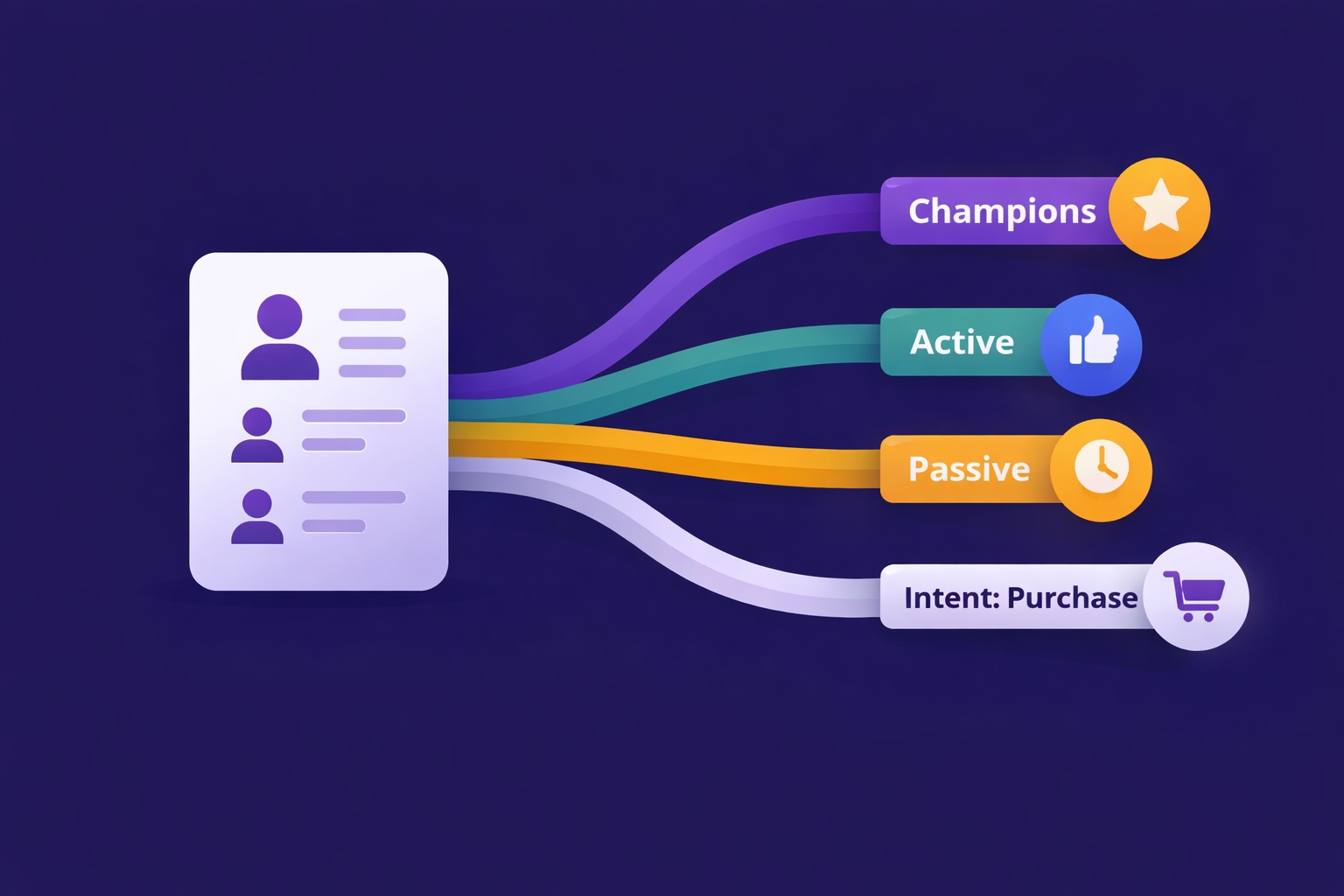
The 4 engagement tiers:
Champions (Top 15-20%):
Open rate 70%+, frequent clicks, occasional replies. These are your most valuable subscribers — they're most likely to upgrade to paid, most likely to share and refer, and most likely to become long-term customers of anything you launch. They deserve exclusive treatment: early access, exclusive content, personal asks for feedback.
Active (Middle 40-50%):
Open rate 30-70%, occasional clicks, rarely reply. Engaged but not deeply invested. Good candidates for paid tier pitches when well-warmed up, and for referral program activation as their confidence in you grows. Standard newsletter communication works well here.
Passive (15-25%):
Open rate under 30%, rarely click, never reply. At risk of becoming dormant. Need re-engagement content — high-value, curiosity-driven subject lines, occasionally a direct ask for what would make the newsletter more useful to them. Don't pitch paid tiers to this segment until they've re-engaged.
Dormant (10-15%):
No engagement in 60+ days. Trigger the re-engagement sequence automatically. Remove those who don't re-engage after the sequence — their presence harms deliverability for everyone else.
How to use engagement segments strategically:
- Product launches and paid tier pitches: Send to Champions and Active segments first. The initial burst of conversions provides social proof and launch momentum. Send to Passive segment only after you have traction — credibility from early converters improves the pitch.
- Sponsor CPM claims: When pitching sponsors, offer to quote your engaged subscriber count (Champions + Active) rather than total subscribers. "8,400 highly engaged subscribers" is often more compelling to sophisticated sponsors than "12,000 total subscribers" — and more honest.
- Referral program activation: Run the referral request sequence specifically to Champions (see the referral program guide for specifics). Champions who refer their peers bring in subscribers with the same high-engagement profile as themselves — the highest-quality acquisition channel available.
Segment by Interest: Delivering What Each Reader Actually Cares About
What it is:
Dividing your list based on what topics, formats, or content types each subscriber responds to — using click behavior and signup source as the primary signals.
The 3 ways to discover interest segments:
Method 1 — Click behavior tracking:
Track which topic categories each subscriber clicks on across multiple issues. A subscriber who clicks every link in your "tools and tactics" issues but skips your "industry analysis" issues has told you exactly what they care about — use that signal. Tag them as "interest:tools" and send tool-focused content directly to them.
Method 2 — Signup source:
The lead magnet a subscriber claimed when signing up signals their primary interest. Someone who subscribed through a landing page for your "email list building template" lead magnet has self-identified as interested in list building. Tag them at signup: "source:lead-magnet-list-building." Every subsequent product or content pitch related to list building performs better for this segment than for general subscribers.
Method 3 — Preference survey:
A direct one-question survey embedded in your welcome sequence: "Which of these topics would be most useful to you right now?" with 3-4 options. Subscribers who respond self-segment with 100% accuracy. Response rates on in-email preference surveys are typically 8-15% — enough to segment a meaningful portion of your list immediately.
Practical application for most creators:
You don't need to fully personalize every issue to every interest segment — that's too complex to maintain. Instead: identify your 2-3 primary content categories, track which subscribers are highest-engagement across each category, and use interest segments primarily for product launches, targeted recommendations, and high-value promotional sends. Your regular newsletter continues going to everyone; your targeted sends go to the right segment.
Segment by Monetization Intent: Who's Ready to Buy?
What it is:
The most revenue-impactful segmentation type. Identifies subscribers who have shown behavioral signals of purchase intent — clicking on product links, visiting your paid tier page, opening your launch emails, or asking questions about what's included in premium. These subscribers are self-identifying as ready-to-convert — they just haven't converted yet.
The behavioral signals that indicate monetization intent:
- Clicked a paid subscription link without subscribing: This subscriber visited your paid tier page and left. They're interested — something stopped them (price, timing, uncertainty about value). A follow-up targeting specifically this segment converts at 3-5x the rate of a general paid tier email.
- Clicked multiple affiliate links: Subscribers who click affiliate recommendations actively are in buying mode for tools and services in your niche. High-intent for affiliate and product recommendations.
- Opened every email in a launch sequence: Opening multiple emails in a promotional sequence signals high interest. These subscribers read the whole pitch but didn't convert — they may need a different angle, a FAQ, or just a softer nudge. A post-launch follow-up specifically to this segment consistently recovers 5-12% additional conversions.
- Replied with a question about your paid offering: The clearest intent signal available. Anyone who emails you to ask about your paid tier or product should be tagged immediately and followed up personally. These conversions happen at near-100% rates when followed up within 24 hours.
Building a monetization-intent segment in InfluencersKit:
Set up click-based tagging: any subscriber who clicks your "upgrade to paid" link, your "learn more about [product]" link, or your affiliate product links gets tagged "intent:purchase." Review this segment monthly and target it with specific conversion content — testimonials, FAQ answers, alternative pricing options, or a personal note. The intent:purchase segment is your highest-ROI audience for any monetization communication.
Tagging Strategy: The Right Tags to Set Up From Day One
The most common segmentation mistake is over-tagging — creating 50 tags that fragment your list into groups too small to act on meaningfully. Start with a small, functional tag set and expand only when a new tag would clearly change how you communicate with a specific group.
The minimum viable tag set (set up immediately, works at any list size):
Lifecycle tags:
lifecycle:new— Subscribed in the last 30 days. Active welcome sequence. Don't pitch paid tier or sponsors to this group yet.lifecycle:active— Completed welcome sequence, engaging regularly. Main audience for all regular communications.lifecycle:at-risk— No engagement in 45-60 days. Trigger re-engagement sequence.lifecycle:paid— Current paid subscriber. Exclude from upgrade pitches; include in exclusive paid content.
Source tags:
source:lead-magnet-[name]— Which lead magnet they subscribed through. Signals primary interest.source:referral— Subscribed through referral program. These subscribers typically have higher LTV — track their performance separately.source:organic-social— Subscribed from social media CTA. Useful for understanding which channels bring the best subscribers.
Intent tags:
intent:purchase— Clicked paid tier or product link without converting. High-priority follow-up target.intent:sponsor-interest— Clicked sponsor links repeatedly. High-value for affiliate recommendations and sponsor fit assessment.
Engagement tags (auto-applied from engagement scoring):
engagement:champion— Top 15-20% by engagement scoreengagement:active— Middle 40-50%engagement:passive— Bottom 15-25% of engaged subscribers
Tag management rule:
Every tag should have a clear answer to: "How does knowing this change what I send to this subscriber?" If the answer is "it doesn't change anything," the tag doesn't belong in your system. Tags that don't influence behavior are maintenance overhead without revenue payoff.
Behavioral Segmentation: Let Actions Tell You Who to Target
What it is:
Automatically segmenting subscribers based on the actions they take (or don't take) — without requiring them to self-report preferences or fill out surveys. Behavioral segmentation is the most accurate form of segmentation because it tracks revealed preferences rather than stated ones.
The 5 most useful behavioral segments for newsletter creators:
- Consistent openers (opened last 8 of 10 issues): These subscribers are reading almost everything you publish. They're your Champions — trigger the referral request sequence and flag them as paid tier upgrade candidates. Their behavior has told you they find your newsletter consistently valuable.
- Topic-specific clickers: Subscribers who click links in certain topic areas but not others have revealed their interests through behavior. Use click tracking to auto-tag: subscriber clicks 3+ links on [topic] → tagged "interest:[topic]."
- Long-time non-converters (subscribed 6+ months, never clicked paid link, high engagement): These subscribers love your free content and have decided — consciously or not — not to upgrade. They need a different angle: a limited-time founding member offer, a specific content preview of what paid gets them, or a lower entry-point price test. Their long tenure and high engagement tell you they're not leaving — they just need the right nudge.
- Recent signups with immediate high engagement: Subscribers who open and click in their first week show higher lifetime engagement than those who take weeks to warm up. Identify these subscribers early and fast-track them to your most valuable content — they're your most likely future paid subscribers and referrers.
- Unsubscribe-risk subscribers: Subscribed recently, opened the welcome email, then stopped. Different from long-term dormant — these are subscribers who didn't get enough value from the welcome sequence to continue engaging. Flag for a specific win-back email (different from the standard re-engagement sequence) asking directly what would make the newsletter useful to them.
Setting Up Segmentation in InfluencersKit
Getting your segmentation system live (one-time setup, 2-3 hours):
Step 1 — Enable engagement scoring (15 minutes):
Navigate to Subscribers → Engagement Scoring → Enable. InfluencersKit calculates engagement scores automatically based on open, click, and reply behavior across your last 10 sends. Within 24 hours, your list is scored and you can view your Champion, Active, Passive, and Dormant segments without any manual work.
Step 2 — Set up your core tags (30 minutes):
Navigate to Tags → Create Tags. Build out the minimum viable tag set: the 4 lifecycle tags, your source tags (matching your actual lead magnets and acquisition channels), and the 2 intent tags. Don't add anything you won't use in the next 60 days — keep the initial set small and purposeful.
Step 3 — Create tag automation rules (45 minutes):
Automation → Tag Rules → New Rule. Set up: (a) new subscriber → tag lifecycle:new, (b) welcome sequence completed → remove lifecycle:new, add lifecycle:active, (c) paid subscriber → tag lifecycle:paid, (d) specific link clicked → tag intent:purchase, (e) 45 days no activity → tag lifecycle:at-risk and trigger re-engagement sequence. These rules run automatically from this point forward — zero ongoing maintenance.
Step 4 — Import source tags for existing subscribers (30 minutes):
For existing subscribers who don't have source tags: if you can identify which lead magnet or acquisition channel brought them in (through signup form records or previous analytics), bulk-tag them via CSV import. For subscribers where origin is unknown, tag as "source:legacy" — this keeps your tracking clean without leaving them untagged.
Step 5 — First segmented send (test the system):
Within the first week of your new segmentation setup, send one targeted communication to just your Champion segment — an exclusive early look at something you're working on, a personal thank-you with a referral ask, or a preview of upcoming content. This both validates that the segments are working correctly and delivers immediate value to your highest-engagement readers. Check the open and click rates on this send vs. your all-list average — the performance gap illustrates exactly why segmentation is worth doing.
Ongoing maintenance (15 minutes/month):
- Review engagement tier distribution — if your Champion percentage is shrinking month over month, content quality or relevance may be declining
- Check intent:purchase tag count — if it's growing without conversions, your conversion content needs work
- Confirm dormant subscriber re-engagement is running and removing non-responders
- Review which tags are actually being used to send targeted content — any tag with no sends in 90 days should be evaluated for removal
Segmentation is the advanced layer that sits on top of your full analytics system — it makes the metrics actionable rather than descriptive. Once your segments are running, your automation sequences become the delivery mechanism for segment-specific communications: Champions get the referral request sequence, intent:purchase subscribers get the post-launch follow-up, lifecycle:at-risk subscribers get the re-engagement sequence. Each sequence runs to the right people automatically, without manual list management.
And segmentation directly improves your deliverability — because sending to active, engaged segments rather than your full list (including dormant subscribers) consistently produces higher engagement rates, which is the primary signal inbox providers use to determine where your emails land. Better segmentation → better deliverability → better open rates → more revenue. Each layer reinforces the others.
The Right Message to the Right Subscriber — Automatically
InfluencersKit's subscriber management includes engagement scoring, behavioral tagging, click-based segment automation, and the analytics to see exactly how each segment performs over time. The segmentation system described in this guide is built into the platform — not a separate tool to integrate and manage. Set it up once, run it forever.
Start your free trial — enable engagement scoring today and have your first segments working before your next send.
Stay Updated
Get the latest insights, strategies, and tips delivered directly to your inbox. Join thousands of creators who are building their email communities with our weekly newsletter.
No spam, unsubscribe at any time. We respect your privacy.
Related Articles

Newsletter Reactivation: How to Win Back Inactive Subscribers (With Templates)
Every newsletter has inactive subscribers silently dragging down deliverability. A well-designed reactivation campaign recovers 8–20% of them while identifying the truly unrecoverable. The four-part reactivation sequence, subject lines that break through inbox habituation, the list hygiene logic that improves metrics after removal, and the onboarding system that prevents inactivity from accumulating in the first place.
Email Marketing for Online Coaches: Build Your List, Nurture Prospects, Fill Your Program
Coaching has a long sales cycle — clients need weeks of trust-building before they commit. Email is the only marketing channel that matches this cycle structurally. The complete system: how to build a list that attracts your ideal client profile, the 7-email welcome sequence that pre-qualifies prospects, and how to run enrollment conversations through email without feeling salesy.
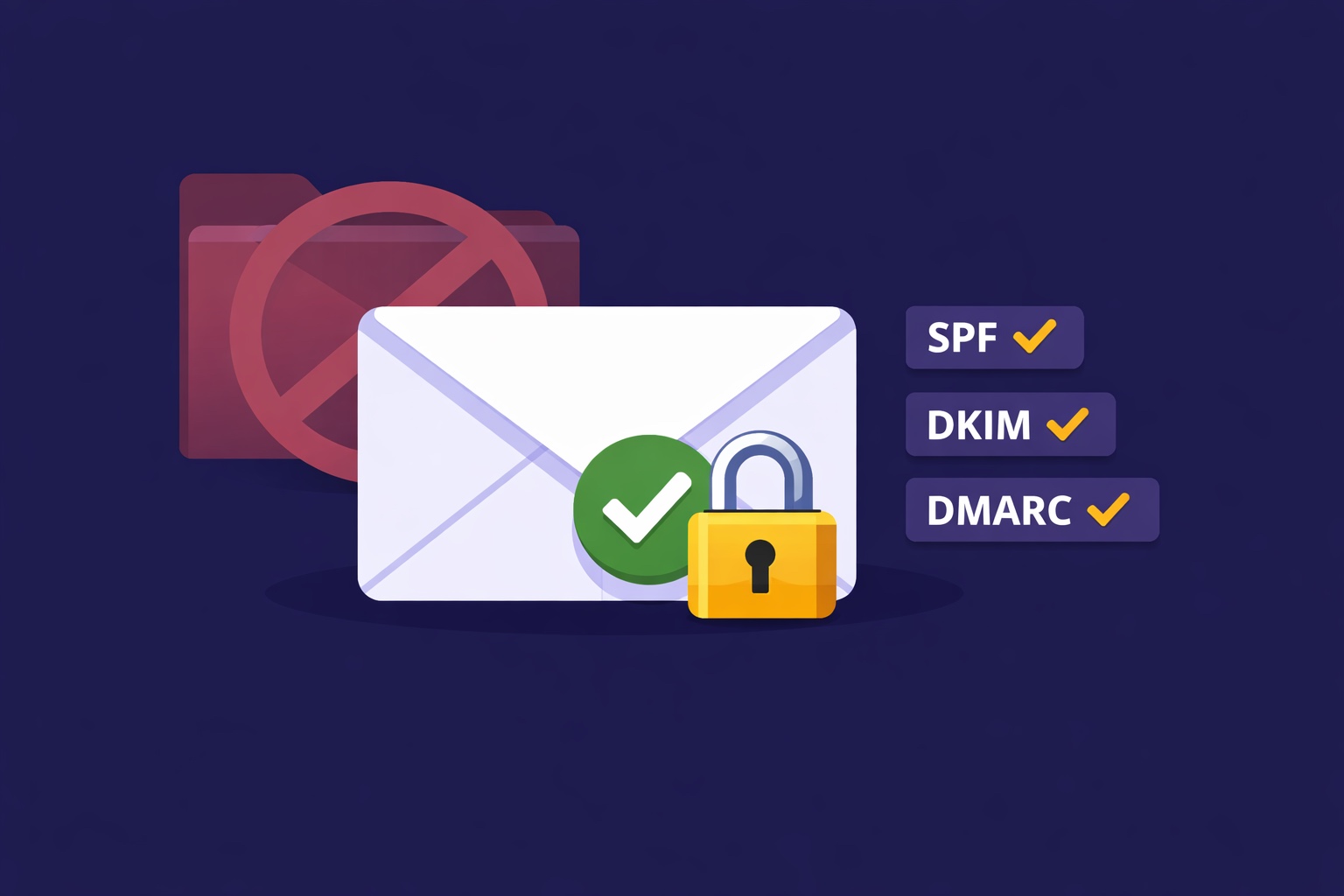
Email Deliverability for Newsletter Creators: Why Your Emails Land in Spam (And How to Fix It)
Deliverability is the silent newsletter killer — a 30% spam rate cuts your revenue potential by 30% while your dashboard shows 98% delivered. SPF, DKIM, DMARC in plain English, list hygiene that protects your sender reputation, the tools to diagnose the problem, and a 7-day recovery plan.
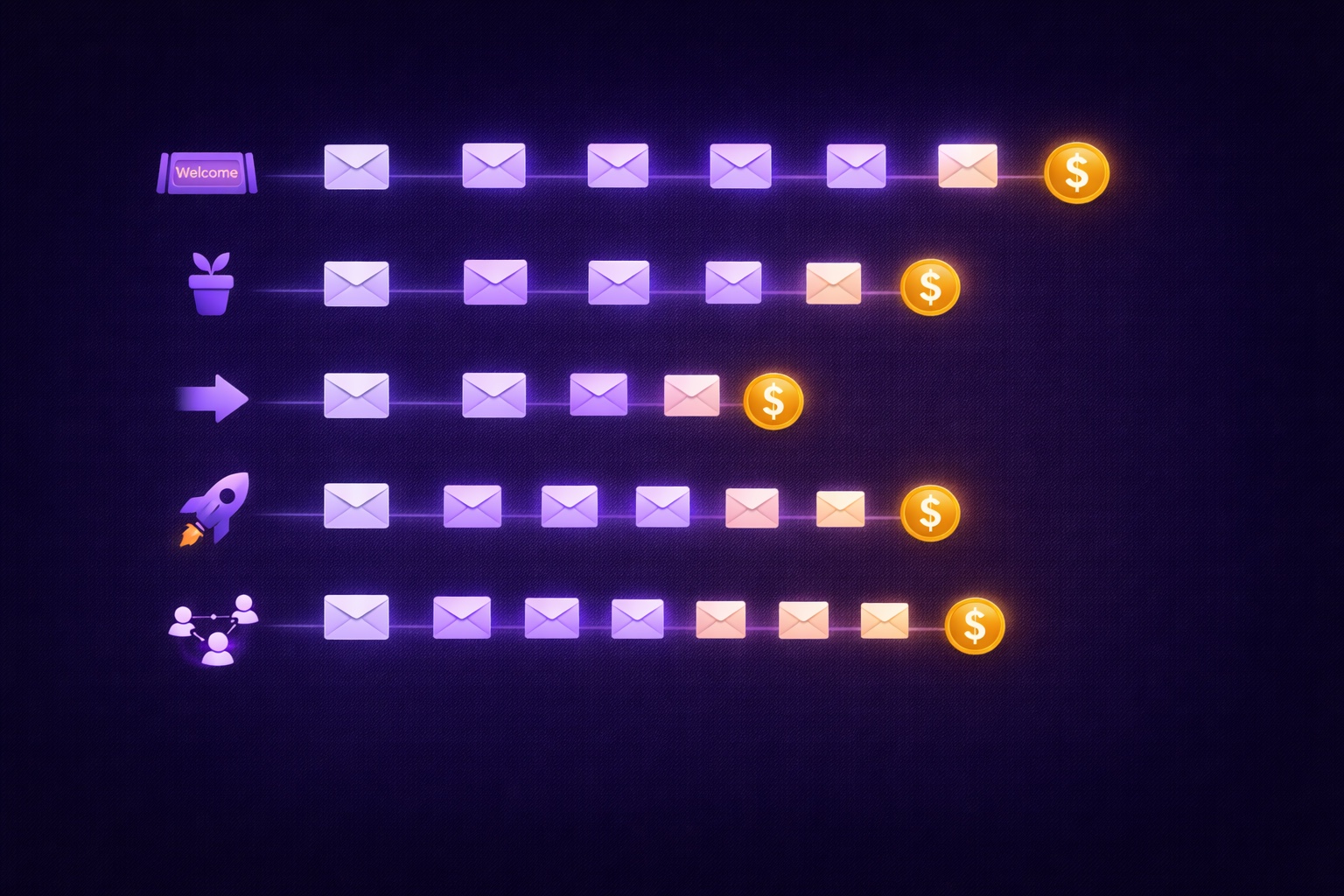
Email Automation for Creators: Set Up These 5 Sequences Once and Earn Forever
Most creators think automation means a welcome email. The reality: 5 automated sequences running simultaneously can generate $2,000–8,000/month passively. The complete guide with exact email timing, subject lines, content frameworks, and setup walkthrough for every sequence.